
Stop the Awkward Silence: Making Q&A Actually Fun
Managing audience questions shouldn't be a headache. Learn how StageClock lets you moderate and show questions right on the speaker's screen.
Table of Contents
You know that part of a presentation where the speaker asks, "Any questions?" and everyone just stares at their shoes? Or worse, one person asks a question that goes on for ten minutes?
We wanted to fix that. So we built a Q&A system directly into the StageClock timer.
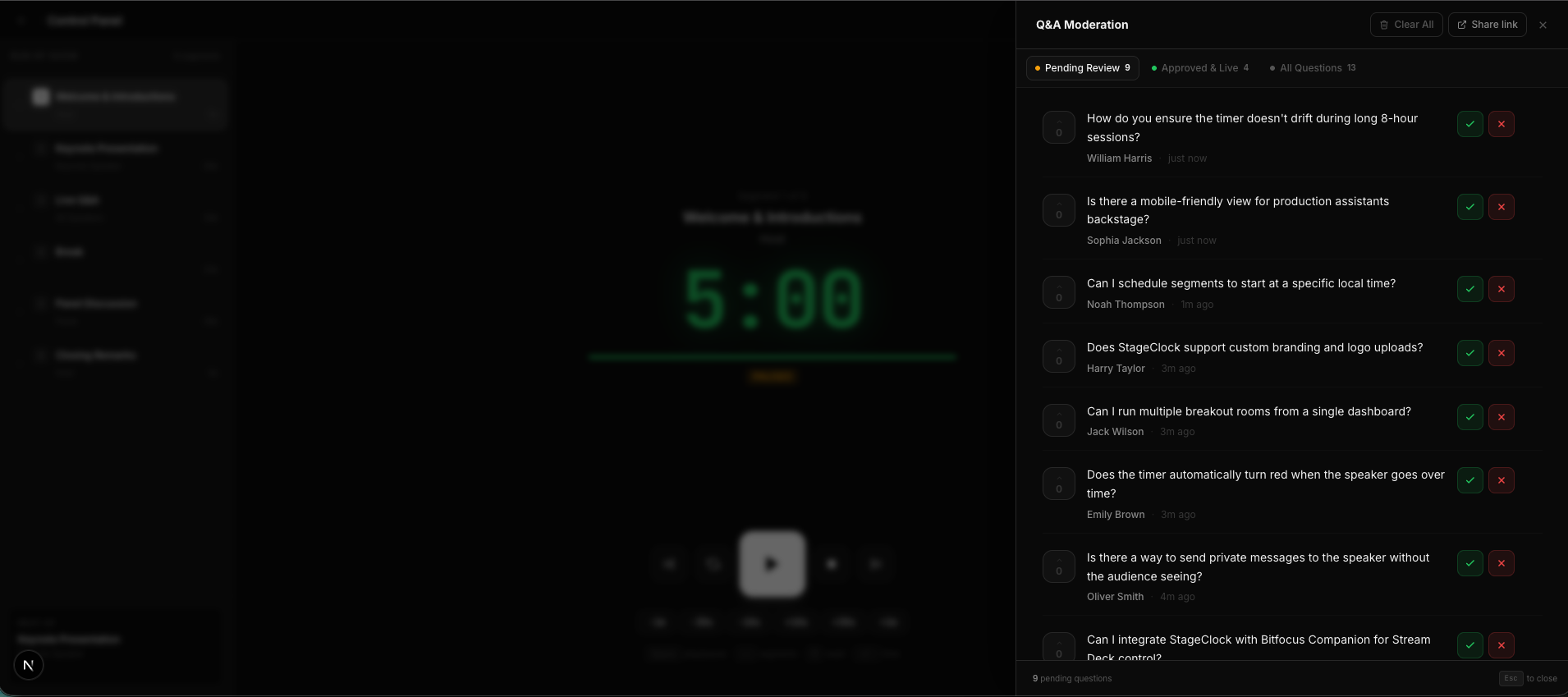
The Control Panel: Approve or delete questions with a single click.
Why This is a Game-Changer
Most events use one app for the timer and another app (like Slido) for questions. This means the speaker has to look at two different screens. It's confusing for them and slow for you.
With StageClock, everything is in one view:
- Audience asks: They just scan a QR code and type their question on their phones.
- You moderate: In your control panel, you click "Approve" on the best ones. Pro tip: You can do this from your mobile phone while standing backstage or in the audience.
- Speaker answers: The question pops up right next to their countdown. They don't have to look away from the stage!
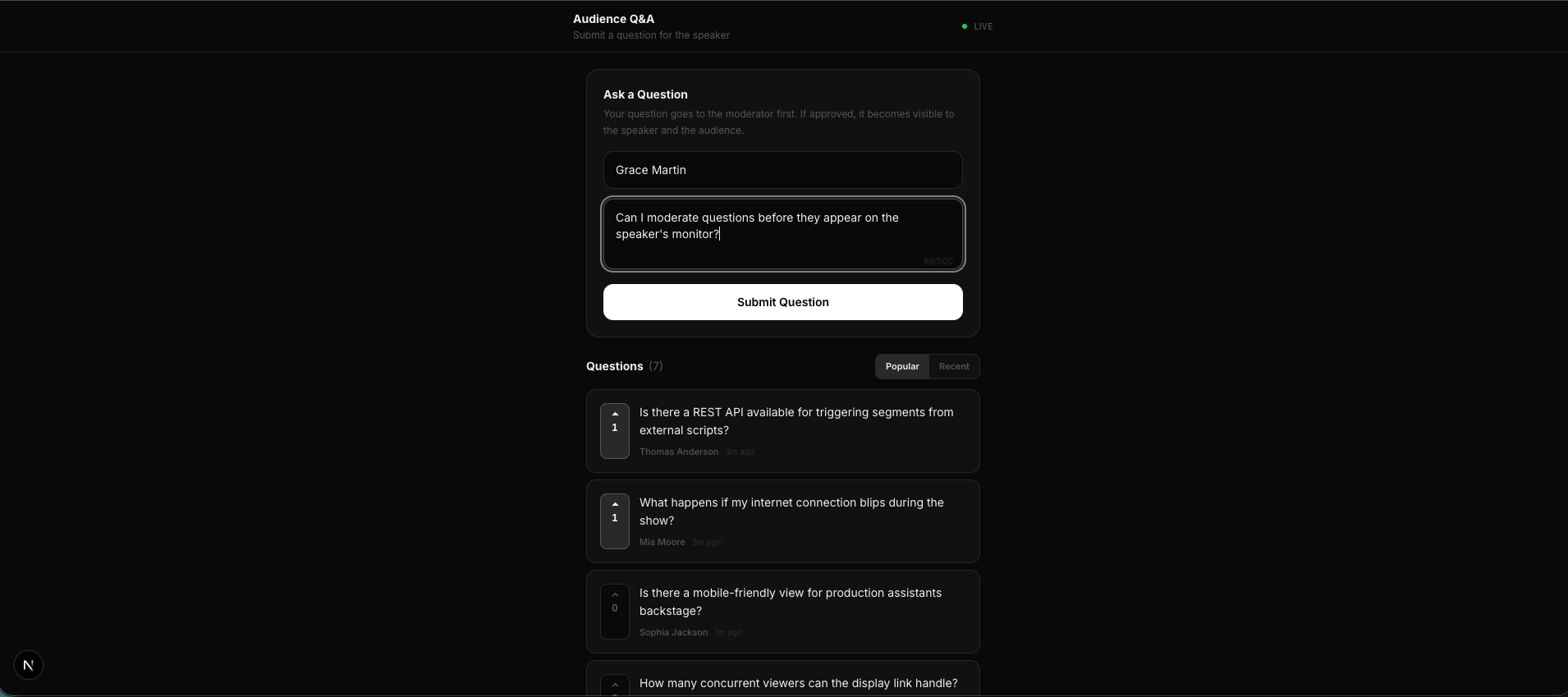 What your audience sees: A simple, clean interface to submit and upvote questions.
How This Helps Your Show
- Saves Time: No more running around with a microphone.
- Higher Quality: You get to pick the most interesting questions first.
- Engaged Audience: People love seeing their questions "upvoted" and then seeing them appear on the big screen.
It turns a stressful part of the show into a smooth, interactive experience that keeps everyone on their toes—and on time.
Ready to engage your audience? Activate Q&A on StageClock today.