Two Heads are Better than One: Collaborative Show Control
Need an assistant to handle Q&A while you manage the timer? Learn how StageClock lets your team work together on the same show.
Table of Contents
Running a live event by yourself is exhausting. You’re trying to watch the timer, moderate questions, send messages to the speaker, and coordinate with the venue staff.
We built StageClock so you don't have to do it alone.
Our real-time sync means your whole team sees exactly what you see, on any device.
How Teams Use StageClock
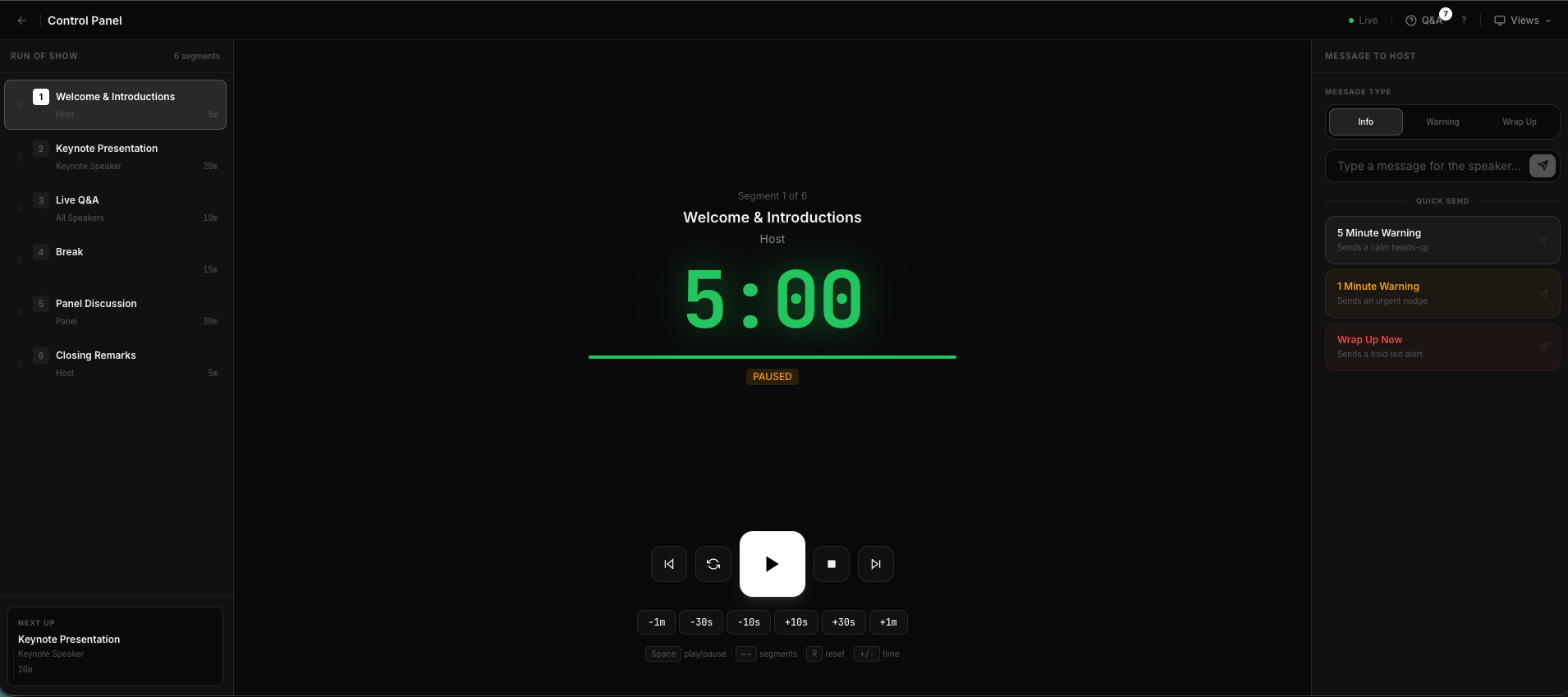
Because everything is web-based and synced in real-time, you can have multiple people in the Control Panel at the same time. This is where StageClock truly shines:
- The Lead Producer: Focuses on the main "Run of Show" from a laptop in the tech booth.
- The Q&A Moderator: Can be anywhere in the venue (or even remote!) approving audience questions from their tablet or smartphone.
- The Stage Manager: Walks around backstage, checking the clock on their mobile device to make sure the next speaker is standing in the wings and ready to go.
Fully Mobile-Optimized Control
You don't need to be tethered to a desk to run a world-class show. The StageClock Control Panel is designed to be fully responsive. Whether you're on an iPhone, Android, or iPad, the buttons are large, the text is clear, and the response time is instantaneous.
This collaborative, mobile-first workflow is what turns a "basic" event into a professional production. You can divide the labor and focus on what matters: delivering a great experience for your audience.
Invite your team to your next event. Start collaborating on StageClock.