Who's in Control? Keeping Your Timer Safe from 'Oops' Moments
Nobody wants a rogue click to reset the timer mid-speech. Here is how StageClock keeps your event dashboard secure.
Table of Contents
We’ve all had that nightmare: you're in the middle of a live broadcast, and someone accidentally hits the "Reset" button. Or maybe an attendee finds your control link and decides to play a prank.
When you're running a professional show, you can't leave things to chance. That’s why we built a "bouncer" into StageClock.
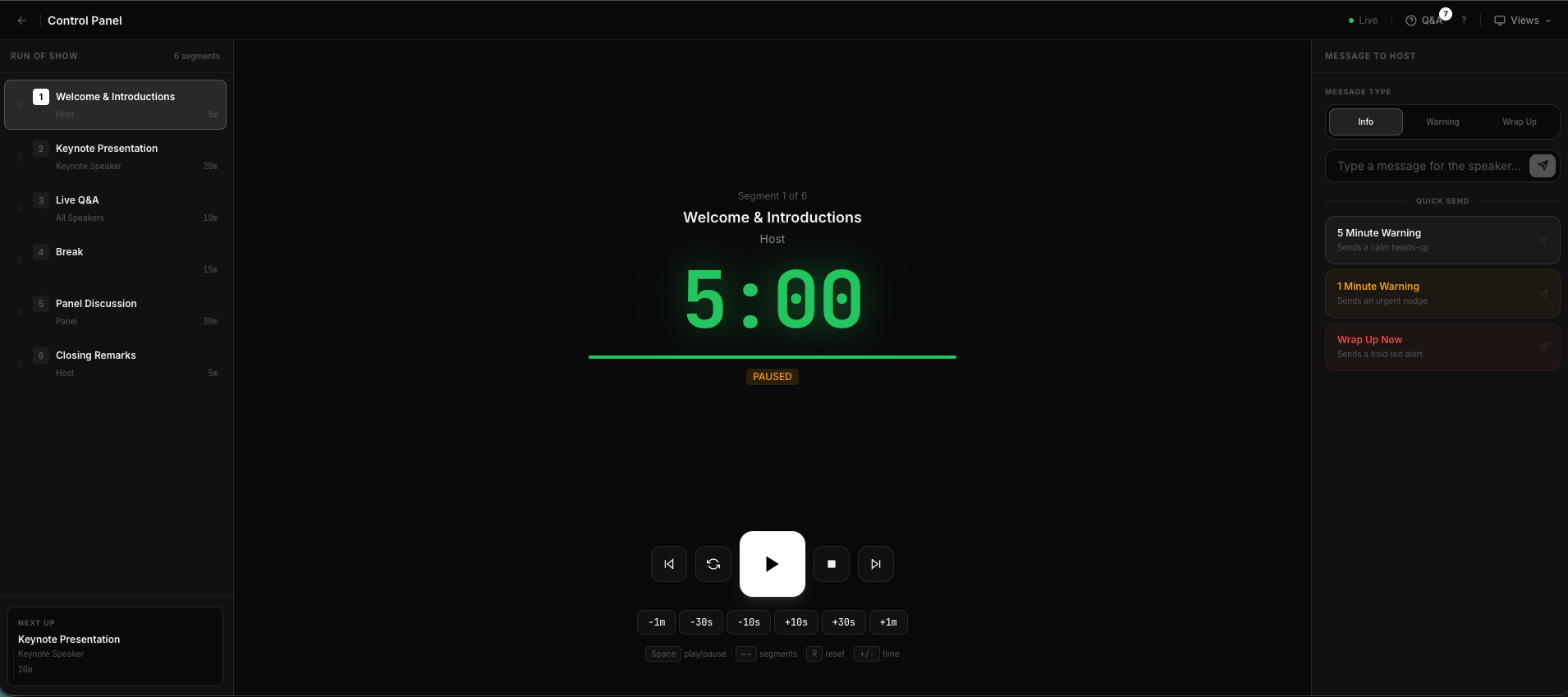
Our full control dashboard—powerful, but protected by verified access.
Not Just a Link, a Verified Identity
Some tools just give you a "secret" link. But if that link gets shared on Slack or seen by the wrong person, your show is at risk.
StageClock uses Verified Roles. This means:
- The Producer: Has the full "Control Panel." They can start, pause, and skip.
- The Speaker: Has a "Speaker View." They can see the time and private notes, but they can't accidentally stop the clock.
- The Audience: Only sees the "Public Display." No buttons, no risks.
How it Helps You Sleep Better
By using Google Login and custom permissions, we make sure that even if someone finds your event ID, they can't do anything unless you've specifically invited them as an "Admin" or "Controller."
It’s about peace of mind. You have enough to worry about during a live event—the reliability of your timer shouldn't be one of them.
Keep your production secure. Set up your team on StageClock.