The Ultimate Hackathon Organizer's Guide to Flawless Timing
Managing 50+ team pitches in 3 hours is a logistical nightmare. Discover how StageClock helps organizers keep their event running like clockwork.
Table of Contents
Organizing a hackathon is 48 hours of pure chaos followed by 3 hours of high-stakes logistics. The final pitching round is where your event’s reputation is made or broken.
If you have 50 teams and each one takes just 60 seconds extra to plug in their laptop or finish their demo, your 3-hour event just became 4 hours long. Judges get tired, the audience loses interest, and the energy dies.
Here is how top-tier hackathon organizers use StageClock to keep their schedule tight and their event professional.
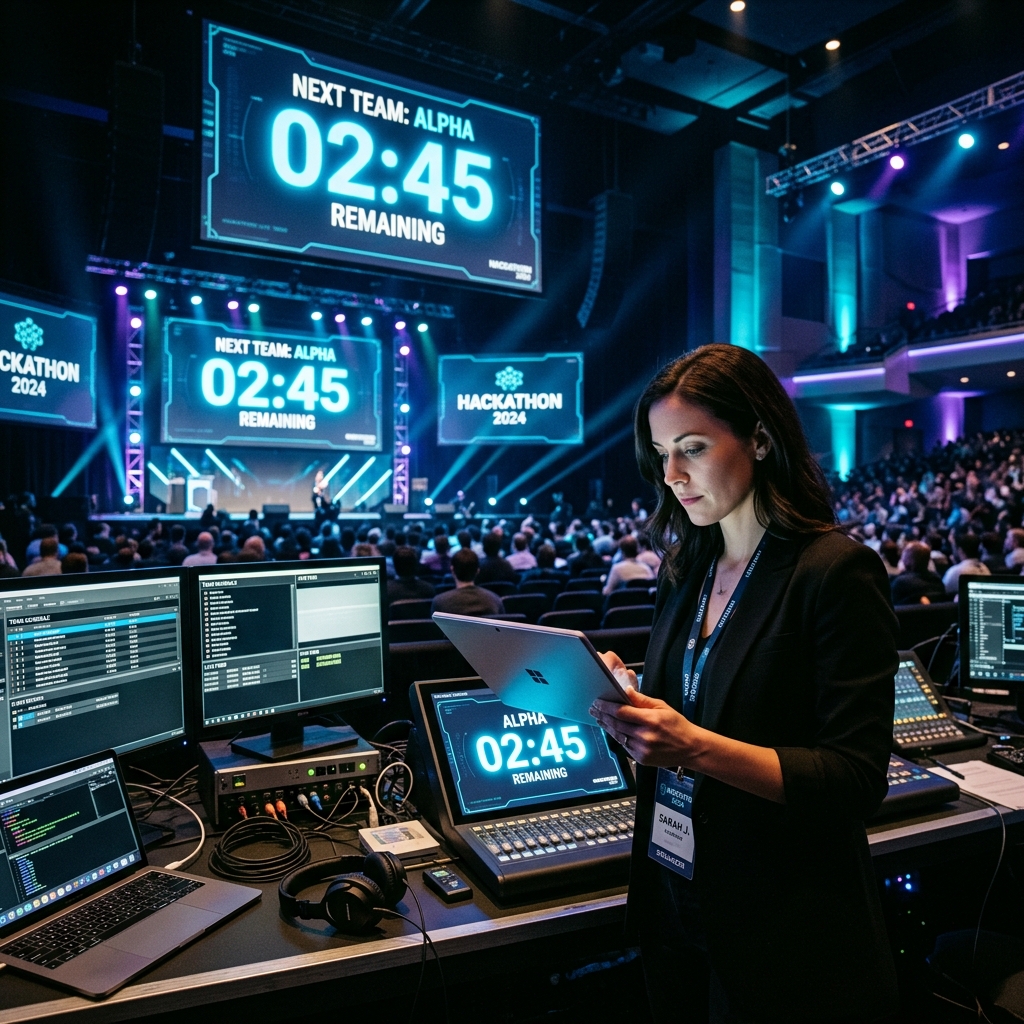
A centralized view keeps everyone from the MC to the AV tech in perfect sync.
1. Eliminate the "Next Team" Delay
The biggest time-waster in any hackathon is the transition between teams.
- The Solution: Use StageClock to display a "Next Team: [Name]" timer on a backstage monitor.
- While Team A is pitching on stage, Team B sees a countdown on the backstage screen telling them they have exactly 3 minutes to stand in the wings and be ready. No more hunting for teams in the crowd.
2. Shared Truth for MCs and AV Techs
The MC needs to know when to jump on stage, and the AV team needs to know when to switch the HDMI feed.
- By sharing the Control Link with your core team, everyone sees the same countdown on their own devices.
- Your MC can see on their phone that there are 10 seconds left, allowing them to walk toward the stage exactly as the timer hits zero.
3. High-Contrast Stage Displays for Participants
Participants get "demo-blindness." They get so caught up in their code that they lose track of time.
- Standard timers are small and easy to ignore. StageClock’s Stage Display is high-contrast and fills the entire screen.
- As an organizer, you can trigger a "Yellow" warning at 1 minute and a "Red" warning at 30 seconds globally, forcing teams to move to their final "big reveal."
4. Multi-Room Synchronization
If your hackathon is large enough to have parallel tracks (e.g., AI Track in Room 1, Fintech Track in Room 2), keeping them in sync for a unified lunch break or keynote is impossible without a shared clock.
- StageClock allows you to create separate events for each room but manage them from a single dashboard if needed.
5. Professionalism That Attracts Sponsors
Sponsors and judges notice when an event is run smoothly. Using a professional, real-time synchronized clock instead of a random YouTube timer or a manual stopwatch shows that you respect everyone's time. It elevates the entire brand of your hackathon.
The Organizer's Checklist
To nail your next event:
- Set up your rooms in StageClock 24 hours before.
- Assign a 'Time Captain' whose only job is to manage the pitch timers.
- Share the Display Link with the AV team for the main projector.
- Put a tablet backstage with the Display Link for the 'On Deck' teams.
Running a hackathon soon? Connect with the StageClock team to see how we can support your event logistics.