How to Keep Every Screen in Your Venue on the Exact Same Second
Ever noticed how some timers drift? We explain how StageClock uses smart tech to keep your stage, backstage, and control room perfectly in sync.
Table of Contents
If you’ve ever run a live show, you know the "timer panic." The speaker thinks they have 5 minutes left, but the producer’s clock says 3. That two-minute gap is where mistakes happen.
Most timers drift because they rely on the browser's internal clock. StageClock is different. We built it so that every single person—from the AV tech in the back to the speaker on stage—sees the exact same number, down to the millisecond.
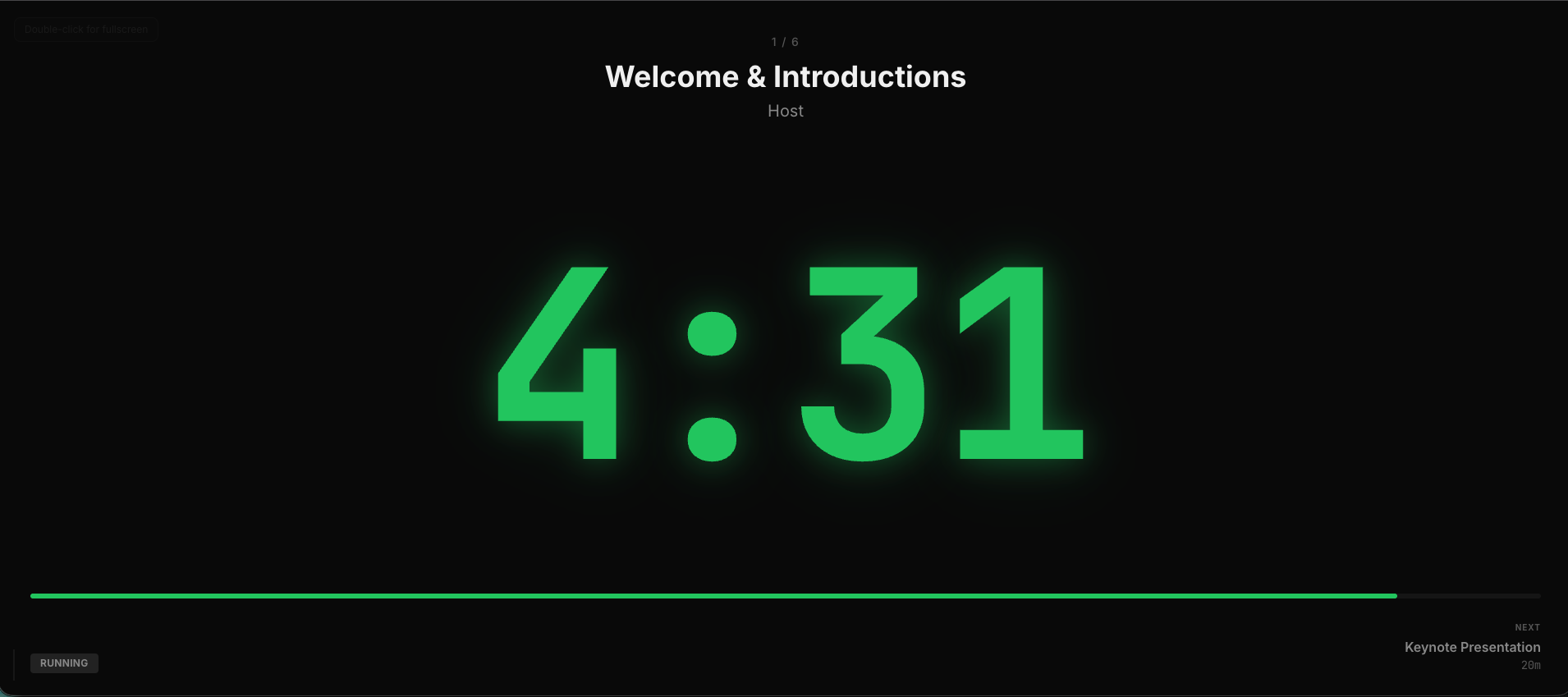
This is what your speaker actually sees: clear, bold, and perfectly synced.
Why does this matter for you?
Imagine you're running a conference. You have:
- A Stage Monitor (for the speaker)
- A Producer's Laptop or Phone (to control everything)
- A Backstage Screen (for the next speaker to get ready)
If these are even 5 seconds apart, your transitions will feel clunky. StageClock uses "WebSockets"—basically a high-speed direct line between our server and your screens—to push updates instantly. When the producer hits "Start," it's like a pulse that hits every screen at once.
Simple Steps to Get Synced
It's actually super easy:
- Create your event: Just name it and you're in.
- Copy the 'Display' link: Send this to any screen facing the stage.
- Copy the 'Control' link: Open this on your laptop or even your smartphone while walking around the venue. The mobile interface is fully optimized for one-handed control.
- That's it: Hit start, and watch every screen move together.
No more shouting "How much time is left?" over the intercom. Just one source of truth for your whole team.
Want to try it for your next event? Get started for free here.