The Interaction Loop: How Audience Q&A Actually Works
A simple guide on how to set up audience questions and keep your event interactive without the chaos.
Table of Contents
We’ve all seen Q&A sessions that feel slow or awkward. Usually, it’s because the technology is in the way. People don’t want to download a new app just to ask a question.
That’s why StageClock’s interaction system is built for the web. No downloads, no logins—just instant connection.
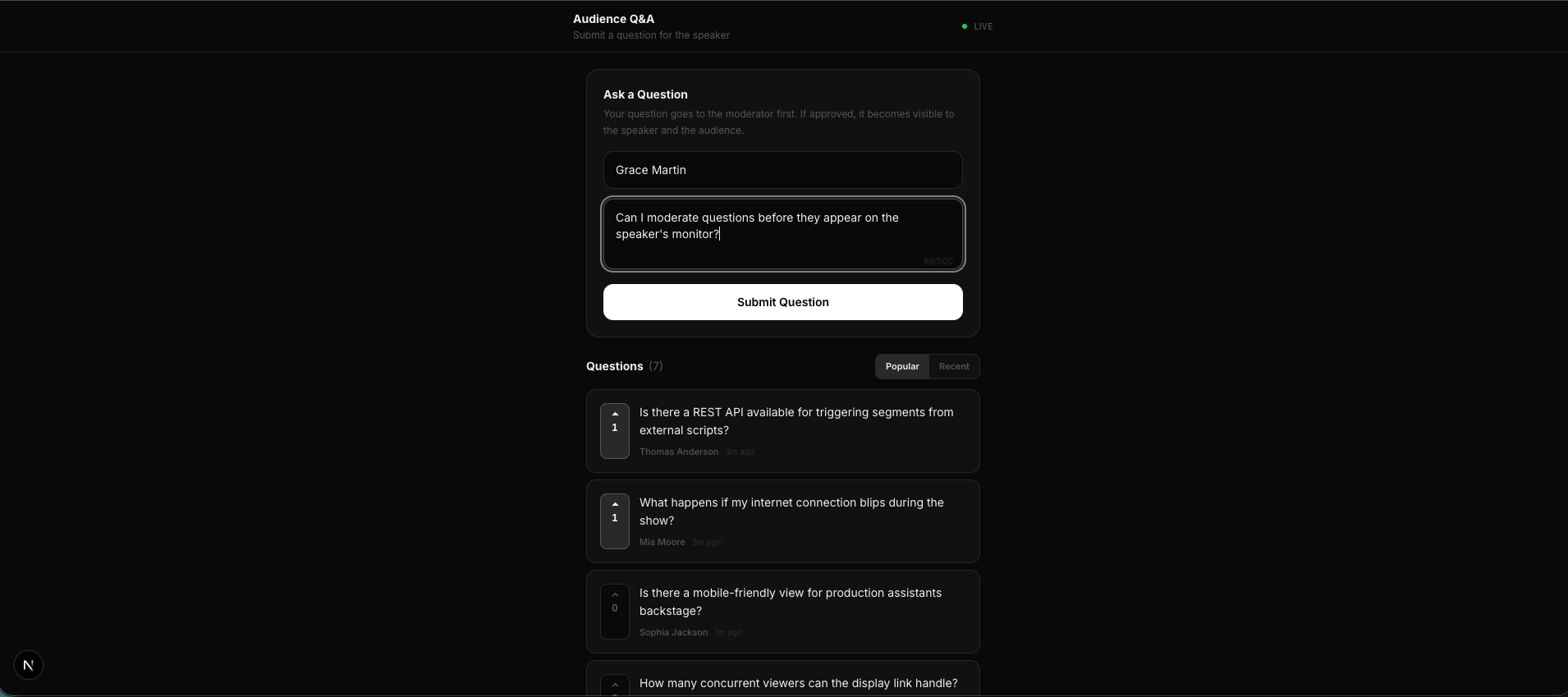
A mobile-first audience experience: clean, fast, and intuitive.
How it Works for Your Audience
- Scan the QR Code: Show a QR code on your stage display.
- Type the Question: Attendees open the link on their own smartphones, type their name, and hit submit.
- Upvote: They can see other people's questions and "upvote" the ones they want to hear most.
How it Works for You (The Producer)
In your Control Panel, you’ll see these questions pop up in real-time. You can approve the good ones and archive the off-topic ones. Once you approve a question, it instantly appears on the Speaker’s View.
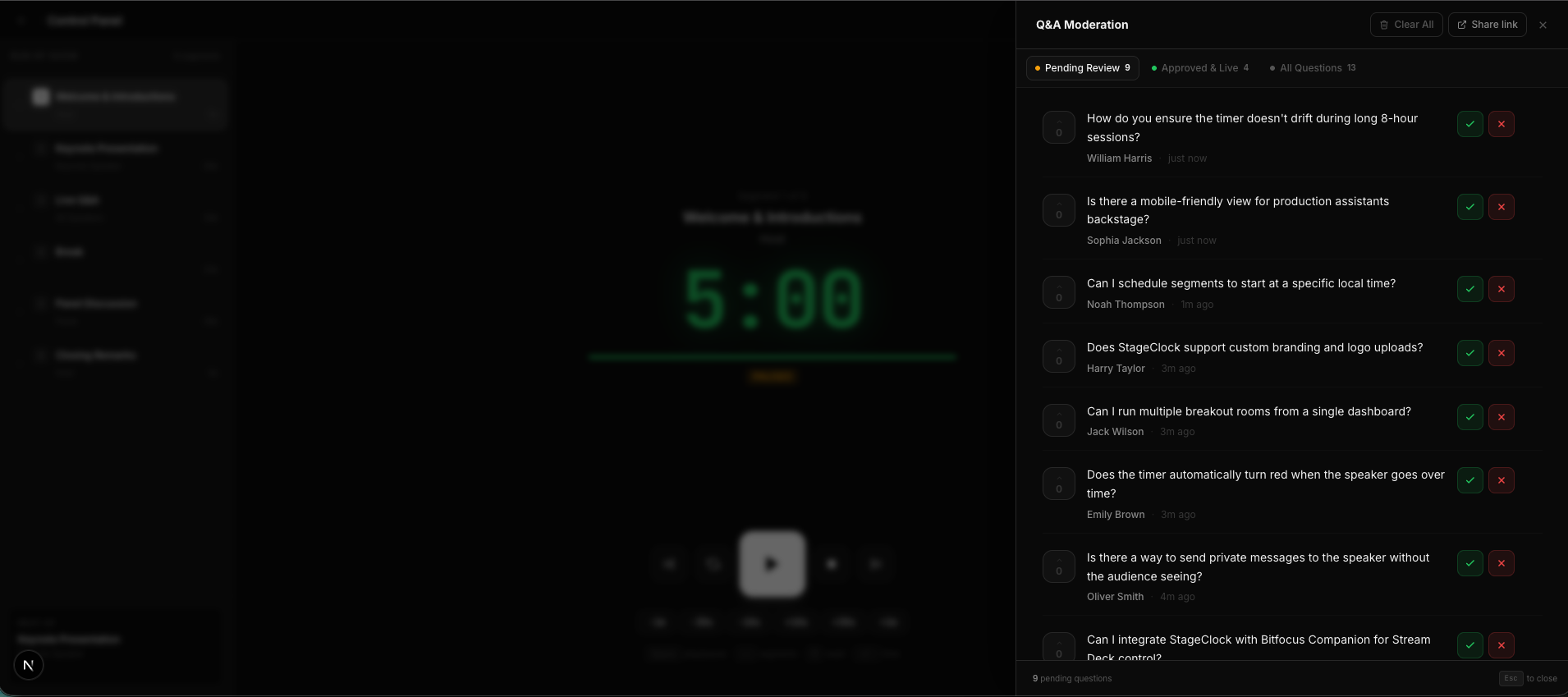 Moderate questions from any device—laptop, tablet, or phone.
Why This is Better
- Privacy: People feel more comfortable asking questions via text than standing up with a microphone.
- Speed: You can have 10 questions ready before the speaker even finishes their presentation.
- Organization: No more repeating questions or dealing with "commenters" who don't have a question.
It turns your audience from passive listeners into active participants, making your event much more memorable.
Ready to hear from your audience? Enable Interaction on StageClock.