Setting Up a Studio Clock for Video Podcasts and Live Interviews
Keep video podcast episodes structured and on time. Discover how podcast hosts and video producers use studio confidence monitors for guest interviews.
Table of Contents
Video podcasts on YouTube, Spotify, and Apple Podcasts are more popular than ever. However, managing episode length during long-form interviews can be tricky.
Without a visible studio clock, interview hosts risk running out of time before reaching core sponsor reads, segment transitions, or fan question rounds.
Here is how professional video podcast studios set up off-camera confidence monitors using StageClock.
Mounting a subtle studio timer behind camera lenses keeps podcast hosts and guests paced without breaking eye contact.
1. Off-Camera Confidence Monitors for Hosts
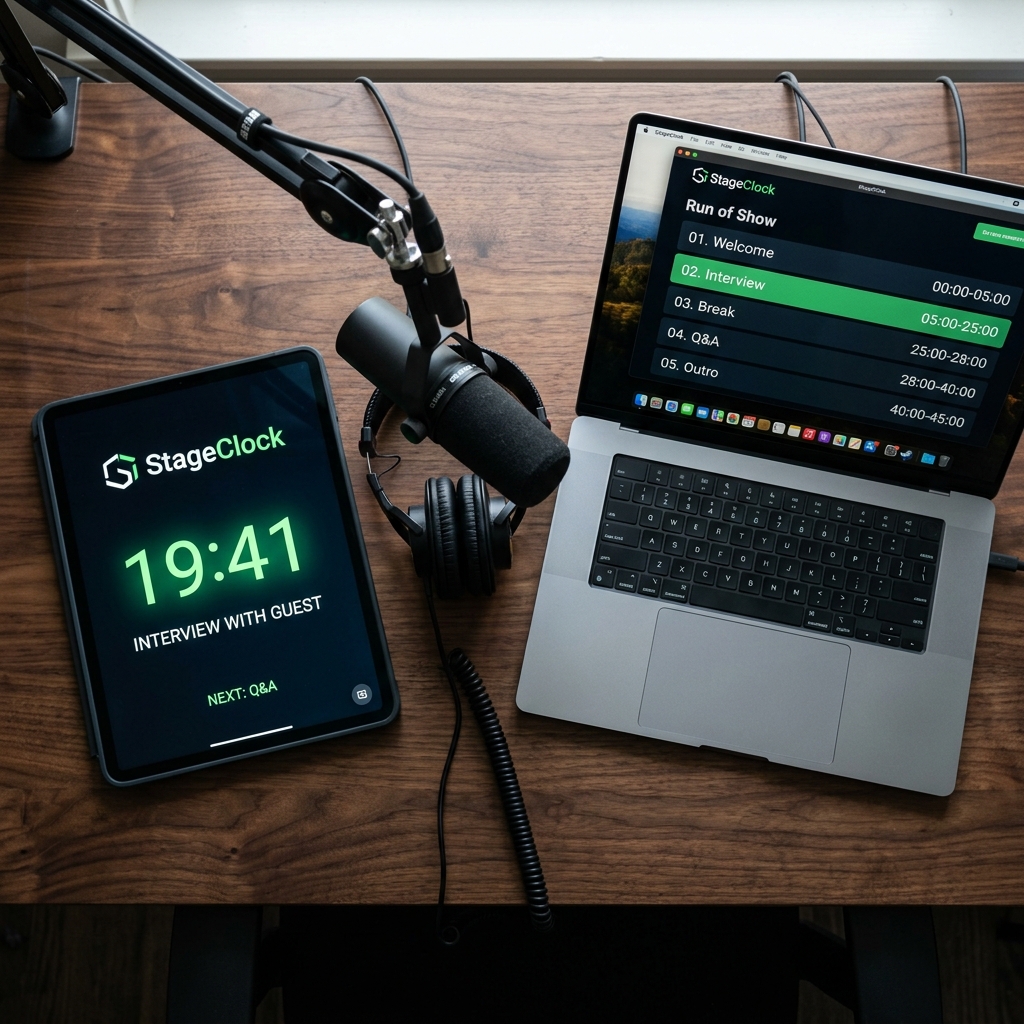
Mounting a tablet or small screen running StageClock directly behind or below your main camera lens allows the host to track interview time naturally.
- Glancing slightly toward the camera lens lets the host check episode duration without making it obvious to viewers.
2. Segmented Pacing for Sponsor Reads and Guest Chapters
Structured podcast formats (e.g., 10-min Intro & News, 30-min Deep-Dive Interview, 5-min Sponsor Break, 10-min Q&A) keep viewers engaged.
- Pre-program episode segments in StageClock.
- Color cues warn the host when it is time to wrap up a topic and transition to sponsor announcements.
3. Remote Producer Control for Live Shows
If your podcast is produced by an engineer in a separate control booth:
- The producer can adjust or reset episode timers remotely from a laptop or phone over local Wi-Fi.
- Keeps host and producer completely aligned throughout the recording.
Upgrade your podcast studio workflow! Try StageClock for free and keep your recording sessions perfectly timed.