The Math of a Perfect Show: How we Beat the 'Sync' Bug
Why most web timers are slightly 'off' and how StageClock uses server-side heartbeats to stay perfectly accurate for broadcast.
Table of Contents
If you've ever tried to sync two stopwatches, you know how hard it is. Now imagine trying to sync 50 browsers across 50 different laptops.
Most web timers drift. You start them at the same time, but ten minutes later, one is at 10:00 and the other is at 10:05. This is a disaster for live TV or high-stakes events.
Why Do Other Timers Drift?
Browsers are smart—maybe too smart. When you're not looking at a tab, the browser "sleeps" the timer to save battery. This makes the clock run slow.
The StageClock Solution: The "Heartbeat"
We solved this by making the server the boss.
- Server calculates: The server knows exactly when the segment ends.
- Heartbeat: Every few seconds, the server sends a "Heartbeat" to all screens.
- Self-Correction: If a browser gets even a tiny bit behind, it sees the Heartbeat and snaps back into the correct time instantly.
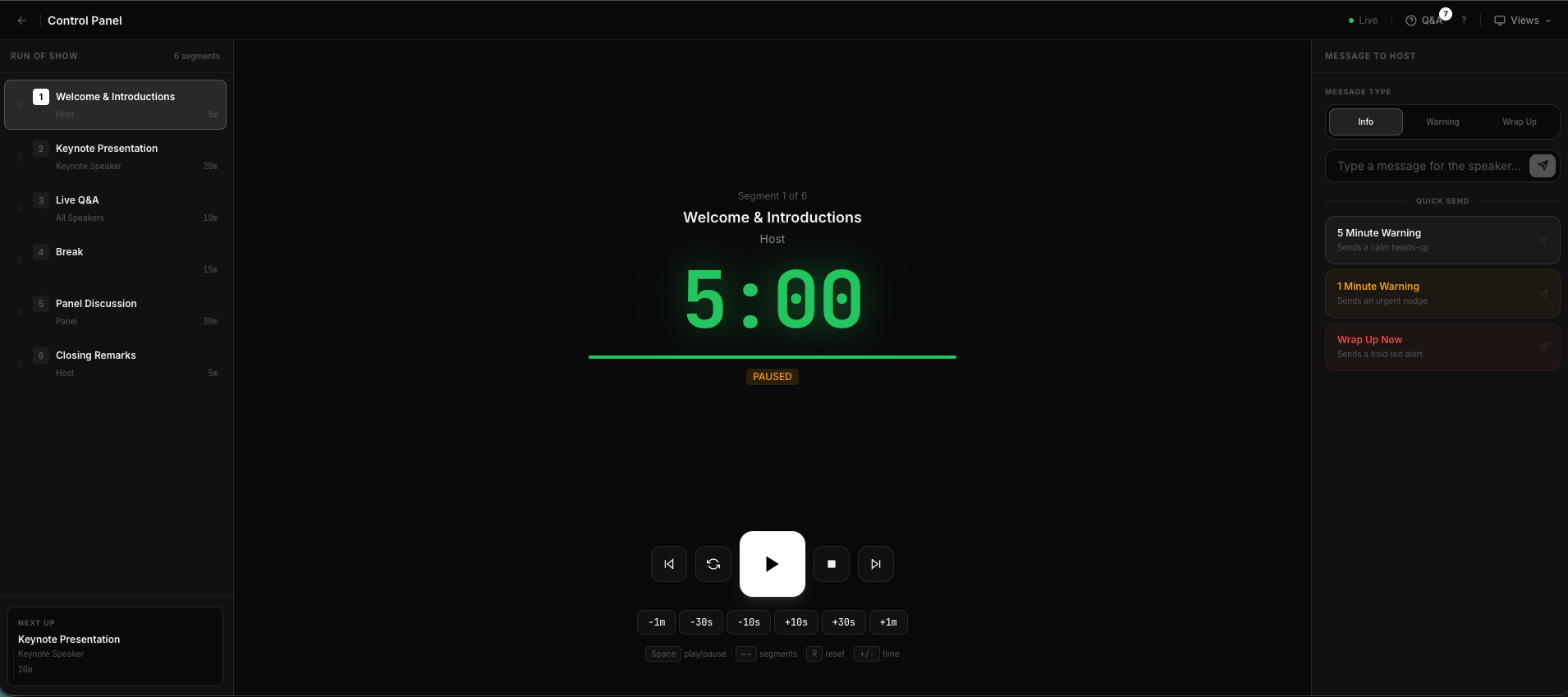
The Control Panel: Your master cockpit for total show synchronization.
Why This Helps You
You can trust the numbers. Whether you're timing a commercial break or a live transition, you know that what you see is what everyone else sees. No drift, no delays, just perfect sync.
Mobile Control: Because our engine lives on the server, you can even switch devices mid-show. Start the timer on your laptop, and then walk away with your phone—you'll see the exact same second-by-second progress in your hand.
Precision matters. Experience the most accurate timer on the web.